Remarque importante : Ce service est accessible uniquement en cas d’activation par la médiathèque. ** **
> **Remarque importante **: > > Ce service est accessible uniquement en cas d’activation par la médiathèque. France Connect est un service permettant de mutualiser son authentification sur un grand nombre de sites d'organismes publics, en proposant de se connecter au choix avec son compte [impots.gouv.fr](https://www.impots.gouv.fr/portail/), [ameli.fr](https://www.ameli.fr/), l’[Identité Numérique La Poste](https://lidentitenumerique.laposte.fr/), [MobileConnect et moi](https://www.mobileconnectetmoi.fr/), [msa.fr](https://www.msa.fr/lfy) ou [Alicem](https://www.interieur.gouv.fr/Actualites/L-actu-du-Ministere/Alicem-la-premiere-solution-d-identite-numerique-regalienne-securisee). Pour plus d'informations sur France Connect, vous pouvez cliquer sur les liens suivants : [https://franceconnect.gouv.fr/](https://franceconnect.gouv.fr/), [https://franceconnect.gouv.fr/partenaires](https://franceconnect.gouv.fr/partenaires). Exemple ci-dessous, il est possible de se connecter au site des impôts soit via son compte personnel (identification via numéro fiscal) soit via France Connect. Pour s'authentifier en tant qu'abonné avec France Connect, il convient de cliquer sur le bouton . Dans la zone « *Se connecter avec un autre compte* », cliquez sur le bouton . [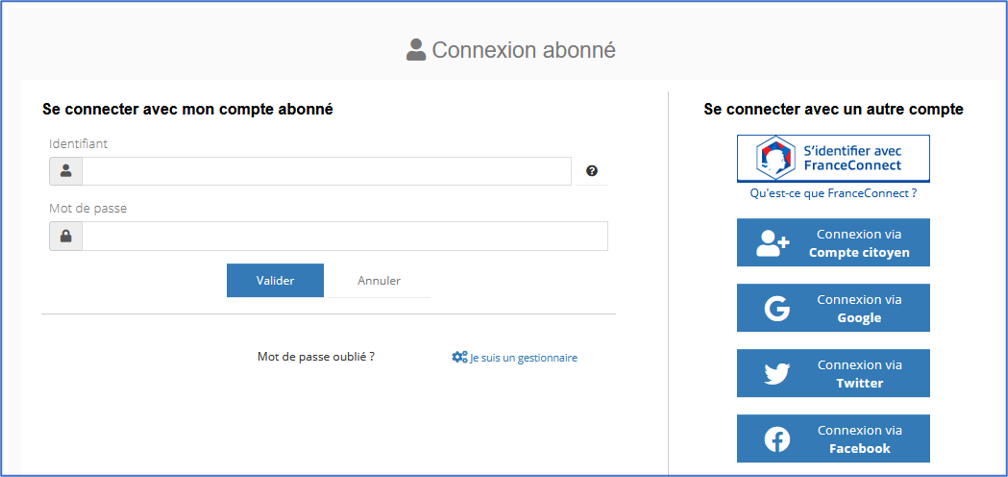](https://bookstack.decalog.net/uploads/images/gallery/2026-08/qdnimage.png) Vous pouvez ensuite lier l'un de vos comptes (impôts, ameli, etc.) à votre compte abonné. Vous pourrez ainsi vous connecter à votre compte portail, soit en renseignant vos identifiants individuels sur le portail, soit avec l'un de vos comptes France Connect.